

Introduction
Applying for Environmental Clearance (EC) in India is now a fully digital process through the PARIVESH Portal.
The portal enables project proponents to submit applications, track status, and manage approvals under the framework of the EIA Notification 2006.
This guide explains the complete step-by-step process to apply for EC on PARIVESH.
What is PARIVESH Portal?
PARIVESH (Pro-Active and Responsive facilitation by Interactive, Virtuous and Environmental Single-window Hub) is the official online system for environmental approvals in India.
Key Features:
- Online application submission
- Document upload
- Real-time tracking
- Transparent approval workflow
Pre-Requisites Before Applying for EC
Before starting the application, ensure:
- Project category (A / B1 / B2) is identified
- Required documents are prepared
- Site details and project scope are finalized
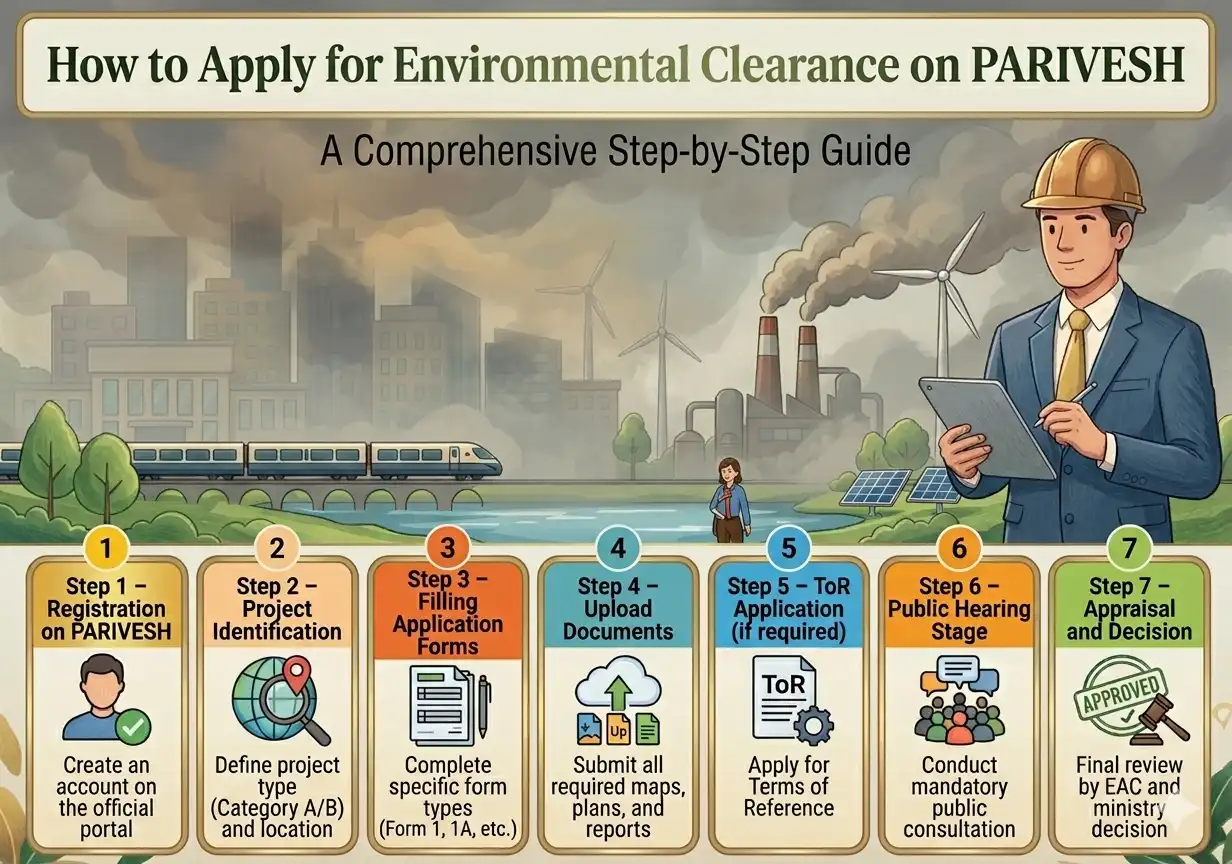
Step-by-Step Process to Apply for Environmental Clearance
Step 1 – Registration on PARIVESH
- Visit PARIVESH portal
- Create user account
- Verify email and login
Step 2 – Project Identification
- Select project category
- Enter sector and activity
- Choose location details
Step 3 – Filling Application Forms
- Fill Form 1 / Form 1A
- Provide project details
- Submit pre-feasibility report
Step 4 – Upload Documents
- EIA report (if applicable)
- Layout plans
- Environmental data
Step 5 – ToR Application (if required)
- Submit request for Terms of Reference
- Await approval from authority
Step 6 – Public Hearing Stage
- Conduct public consultation
- Submit hearing report
Step 7 – Appraisal and Decision
- Review by EAC/SEAC
- Approval or rejection issued
Need Expert Help for EC Approval?
Applying for Environmental Clearance can be complex and time-consuming.
Get professional support: